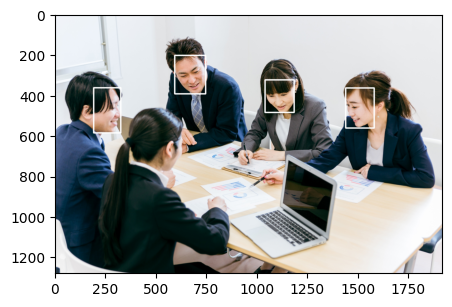
顔認証

二つの写真の顔の照合認証をしてみたいのですが

Python で ArcFace と DeepFace を使用する方法の簡単な概要と例をお示しします。!
DeepFaceは、Facebookの研究グループが作ったディープラーニング顔認識システムです。
| img1 | img2 | img3 |
 |  |  |
ライブラリインストール・インポート
# 必要なライブラリをインストールする
!pip install deepface

# ライブラリのインポート
from deepface import DeepFace
2枚の写真からそれぞれ顔を認識し照合する
path = "/content/drive/~~~  ~~~~~/"
obj = DeepFace.verify(img1_path= path + "img1.jpg",img2_path=path + "img2.jpg",model_name='ArcFace',detector_backend='retinaface')
obj
img1とimg2の比較
{‘verified’: True(同一人物),
‘distance’: 0.19861359579346072,
‘threshold’: 0.68,
‘model’: ‘ArcFace’,
‘detector_backend’: ‘retinaface’,
‘similarity_metric’: ‘cosine’,
‘facial_areas’: {‘img1’: {‘x’: 302,
‘y’: 82,
‘w’: 92,
‘h’: 130,
‘left_eye’: (361, 132),
‘right_eye’: (319, 140)},
‘img2’: {‘x’: 276,
‘y’: 126,
‘w’: 84,
‘h’: 119,
‘left_eye’: (327, 170),
‘right_eye’: (289, 177)}},
‘time’: 18.38}
img1とimg3の比較
{‘verified’: False(違う人物),
‘distance’: 0.7119334447365989,
‘threshold’: 0.68,
‘model’: ‘ArcFace’,
‘detector_backend’: ‘retinaface’,
‘similarity_metric’: ‘cosine’,
‘facial_areas’: {‘img1’: {‘x’: 302,
‘y’: 82,
‘w’: 92,
‘h’: 130,
‘left_eye’: (361, 132),
‘right_eye’: (319, 140)},
‘img2’: {‘x’: 290,
‘y’: 13,
‘w’: 195,
‘h’: 260,
‘left_eye’: (456, 119),
‘right_eye’: (373, 110)}},
‘time’: 16.26}

コメント